Areas
AI & Digitalization
Custom AI, AI agents, automation & business apps
IT Operations & Security
Cybersecurity, endpoints, hardware & licensing
Cloud & Microsoft 365
Migration, SharePoint & Teams, backup
Getting started
cloumo.scan
Free security scan of your configuration
AI Workshop
Identify & prioritize custom AI use cases
Ongoing support
Managed M365 & Support
Complete management of your Microsoft 365 environment
IT Support On-site & Remote
German-speaking support, < 15 min avg. first response
Public Sector About Us Blog
Get in touch
Microsoft 365 Tenant Scan

Microsoft 365 Security Check: uncover security gaps and licence costs in under 15 minutes

This free scan shows you where your tenant loses money and security: inactive user accounts still holding licences, admins without MFA and unsafe forwarding rules in Exchange – read-only via the Microsoft Graph API.

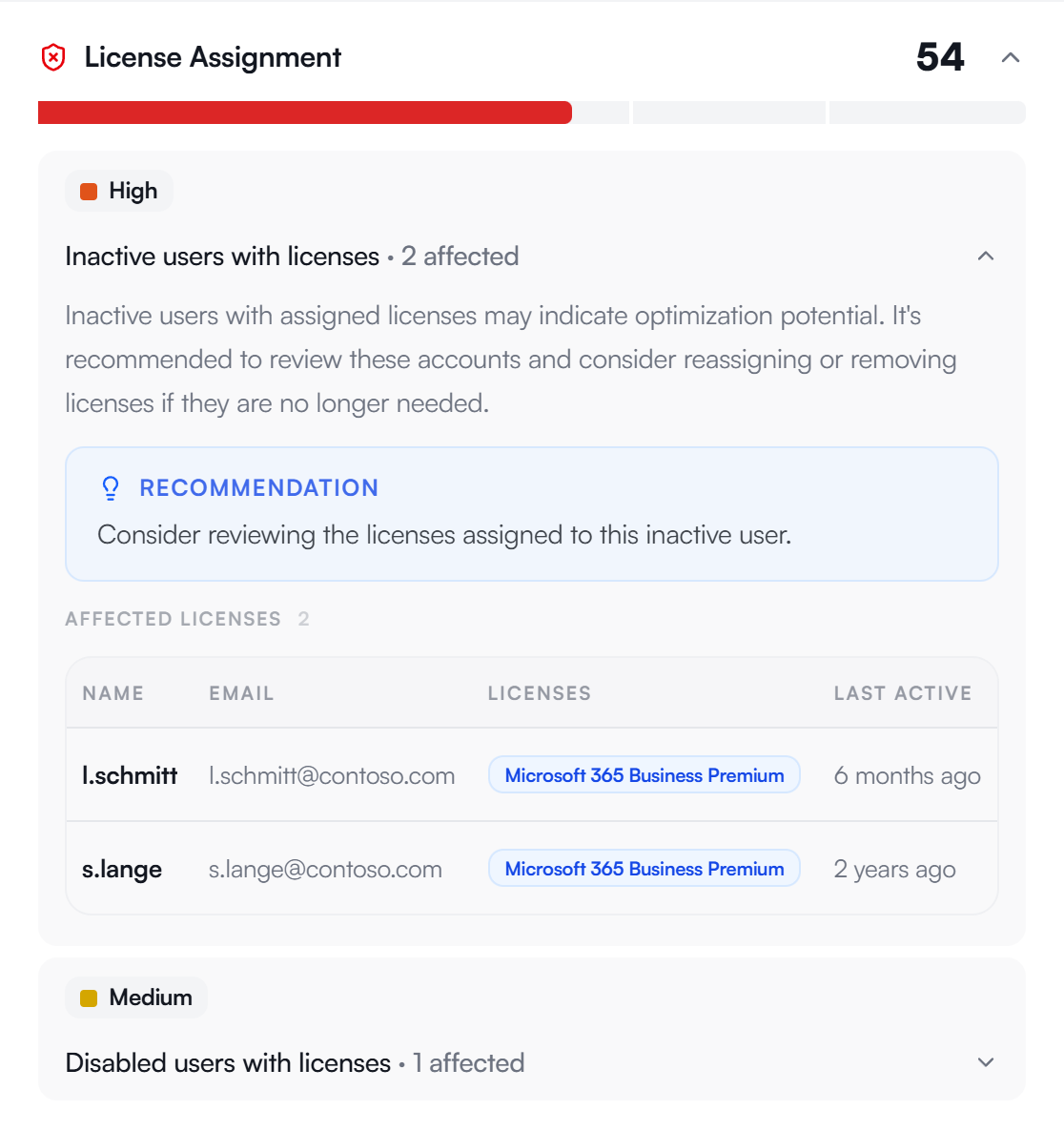
Cost Check User accounts inactive for more than 90 days still tie up paid E5/E3 licences – the cost of unused licences that drains your IT budget every single month.
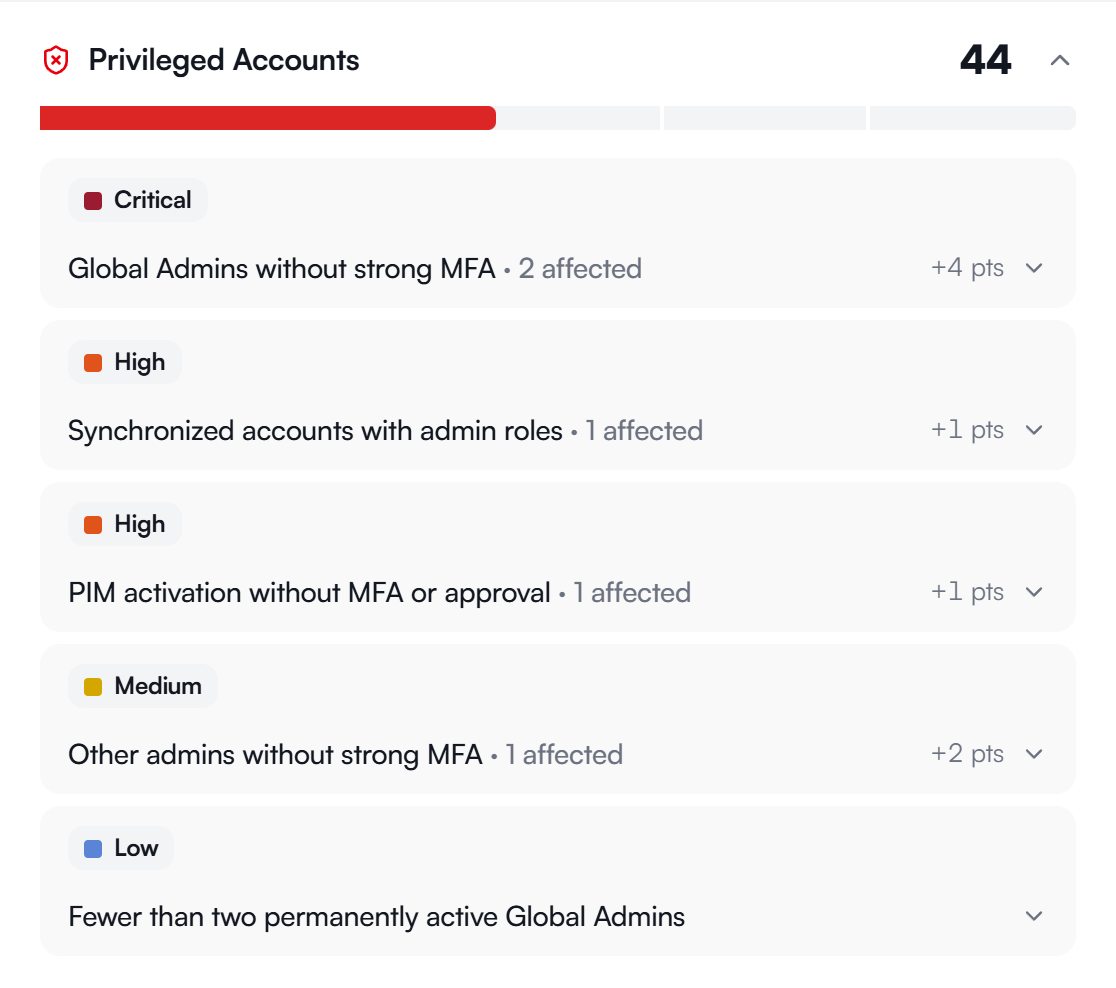
Security Check Admin accounts without MFA, external Exchange forwarding rules and overly broad permissions – every one of these gaps is a potential entry point for attackers.
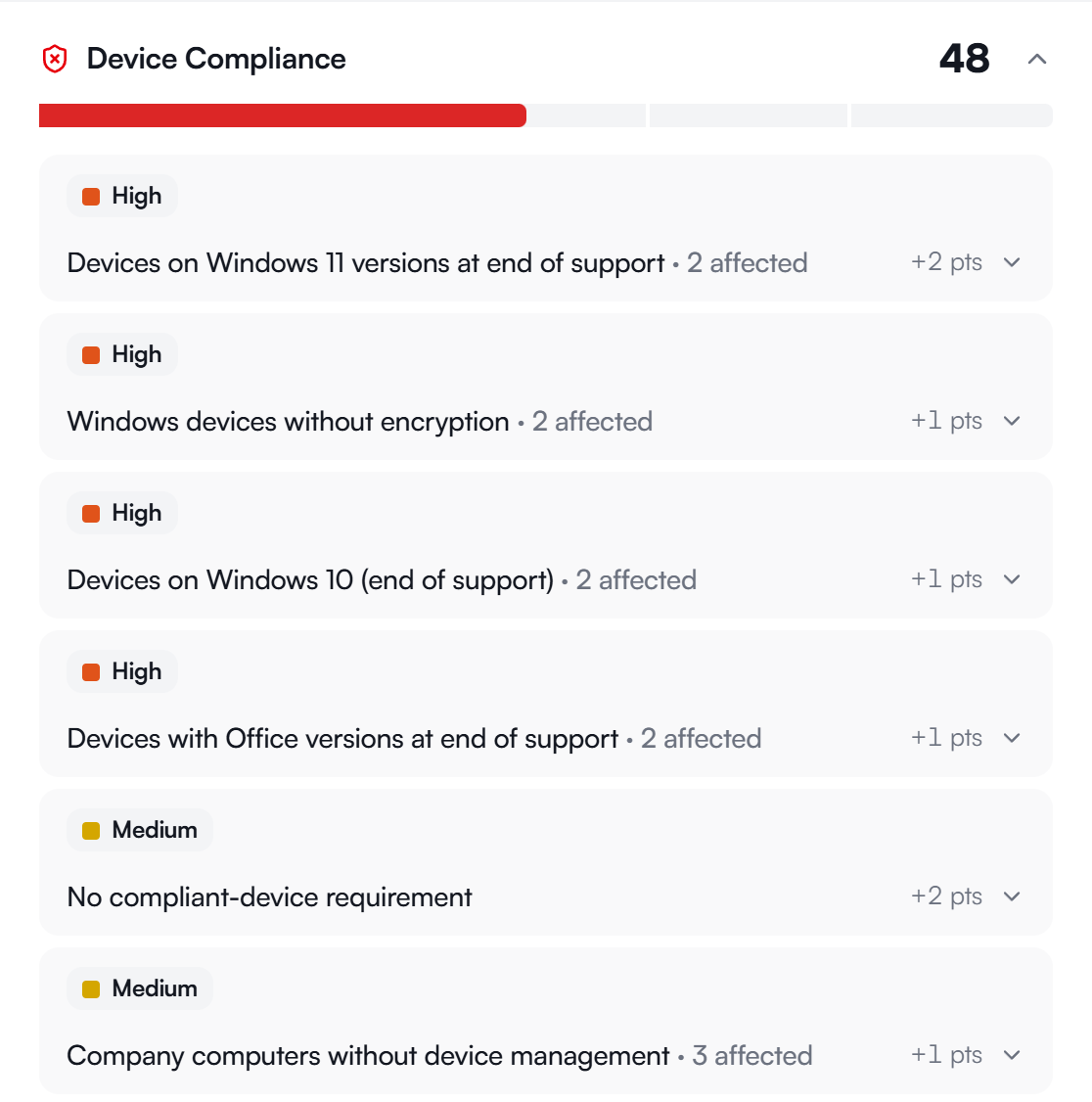
Compliance Check Devices running end-of-life Windows, missing Intune policies and unenforced compliance policies – exactly the points flagged in ISO 27001 audits or by your cyber insurer.
Start Free Scan Free and read-only via the Microsoft Graph API – no agent, no installation, results in under 15 minutes.
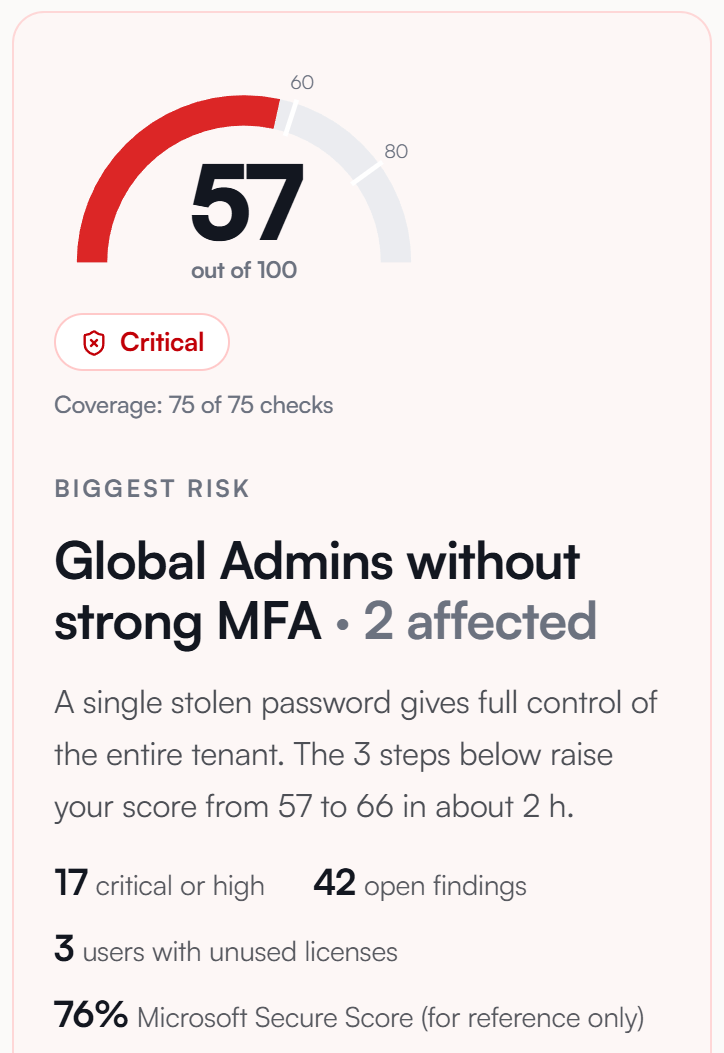
Tenant Health Report
Scan Complete
62 Score
Security
Cost
Compliance
Hygiene
🔴 Security Risks
3 Global Admins without MFACritical
12 External forwarding rulesCritical
Guest users with accessWarning
28 Non-compliant devicesWarning
💰 Savings Potential
15 unused E5 licenses€660/mo
8 unused E3 licenses€192/mo
Duplicate Power BI Pro€84/mo
Inactive SharePoint sitesStorage ↓
73%
of the tenants we scanned had admins with no MFA protection
€936
average monthly savings potential per analysed tenant
42%
of the devices we scanned ran outdated or end-of-life software
<15 min
to your finished tenant report – read-only, no installation

Microsoft 365 security check: three tests against the most common risks

This scan reveals unused licences and specific security risks in a single run – the basis for targeted cost savings and tenant hardening.

Cost Check

Find unused licences

User accounts with no sign-in for over 90 days keep tying up expensive E5 and E3 licences. We list every unused licence with name, last sign-in date and licence type so you can reclaim exactly the ones you don't need.

Inactive accounts with an active licence
Duplicate licence assignments
Unused add-ons (Power BI, Visio)
Security Check

Close the back doors

Admin accounts without MFA are the most common entry point for account takeovers. External Exchange forwarding rules can also quietly route confidential emails out of your organisation – we make both risks visible.

Admins without multi-factor authentication
External forwarding rules in Exchange
Orphaned guest accounts with active access
Compliance Check

Remove audit risks

Outdated Windows versions, missing Intune policies and unenforced device compliance stand out in every audit. For ISO 27001 assessments or proof for your cyber insurer, these are often the decisive points.

Outdated OS versions (captured via Intune)
Missing device compliance policies
End-of-life software in use

How the Microsoft 365 tenant scan works

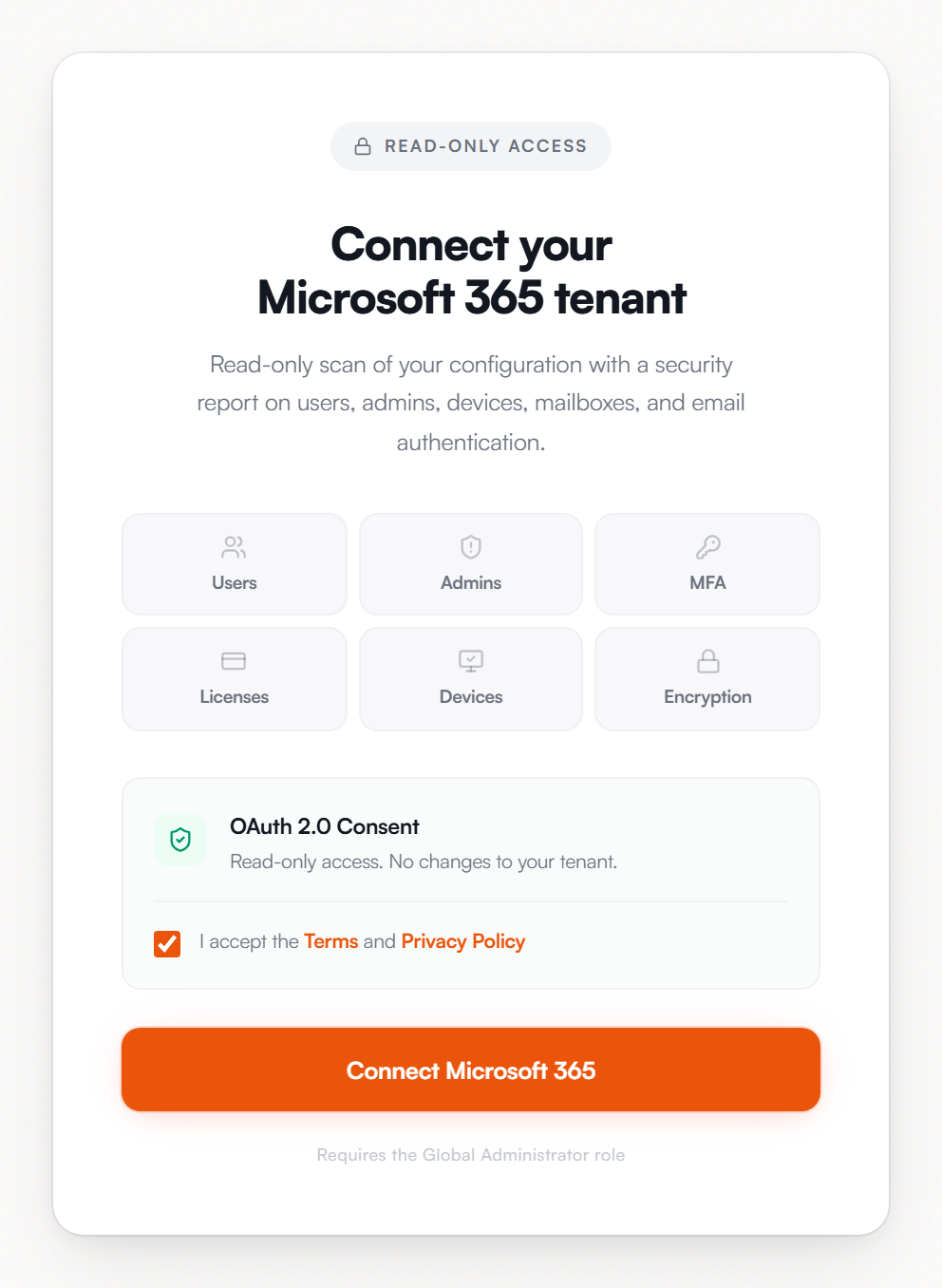
No agent, no client, no installation. The scan uses the Microsoft Graph API with minimal read-only permissions – your content stays untouched.

01

Check the requirement

The scan needs administrator rights in your tenant. If you aren't an admin yourself, forward the link to your IT administration in a single step.

02

Sign in with Microsoft

Open scan.cloumo.com and sign in with your Microsoft account. You grant the read-only permission with a single click.

03

Start the scan

The analysis runs automatically via the Graph API. Only configuration data is read – no emails, files or content.

04

Download the report

Within 15 minutes you download your report with risks, savings potential and prioritised recommendations directly.

Scan once, stay secure for good

Your first Microsoft 365 security check is free. For ongoing security there is a managed package at a predictable fixed price.

Free

Initial Analysis

€0
One-off and no obligation – always €0
Complete tenant health report
Licence savings potential quantified in euros
All security risks ranked by severity
Compliance status of every managed device
Prioritised recommendations
Start Free Scan
Recommended

Managed Security

Fixed Price
Predictable monthly price that doesn't scale with your user count – price on request.
Everything in the free initial analysis
Automatic monthly tenant scans
Proactive alerts for new risks
Quarterly review with your IT team
Implementation support for critical findings
A dedicated contact at Cloumo
Coming Soon

Do you know what's hiding in your Microsoft 365 tenant right now?

In under 15 minutes you'll see in black and white how much you're paying for unused licences every month – and which security gaps are currently open in your tenant. Read-only, no installation, no obligation.

Start Your Free Scan Now
Read-only via Microsoft Graph GDPR-compliant Results in under 15 minutes

Frequently Asked Questions

It needs read-only permissions via the Microsoft Graph API, for example to read user, licence and configuration data. It never accesses your emails, documents or content. You grant access transparently at login and can revoke it at any time in Entra ID.
Yes. The scan reads only configuration and metadata, never personal content such as emails or files. Processing is GDPR-compliant, you receive your report directly, and scan data is never shared with third parties. On request, we delete all collected data after the analysis.
Yes – granting the read-only permissions requires an administrator account in your Microsoft 365 tenant. If you aren't an admin yourself, simply forward the scan link to your IT administration. Login and consent take only a few seconds, after which everything runs automatically.
Usually under 15 minutes. After login, the analysis runs automatically via the Graph API in the background, with no agent and no installation. You then download your complete tenant report – with risks, savings potential and prioritised, actionable recommendations – directly.
The initial analysis is free and without obligation – no costs and no automatic renewal. After the scan, you decide which measures to implement. If you want ongoing monitoring, you can optionally book our managed security package at a predictable fixed price.
The scan comes from Cloumo, a German IT service provider specialising in managed Microsoft 365, cybersecurity and endpoint management. We support small and medium-sized businesses across the DACH region and use only the official, standardised read-only permissions of the Microsoft Graph API.
Contact

Let's get started together.

Book an appointment directly or write to us – we will get back to you within one business day.

Send inquiry

All fields marked with * are required.

Cloumo processes your data according to our Privacy Policy, to handle your request.
Book an appointment directly

Personal consultation

Choose a suitable appointment for a non-binding initial consultation – we advise you on your individual requirements.

Select appointment
Direct contact

Write to us

info@cloumo.com
Or give us a call: +49 151 10675267
On-site for you

Düsseldorf · Cologne · Munich · Berlin

We support companies throughout Germany – from our office in Mönchengladbach, with a focus on Düsseldorf, Cologne, Munich, and Berlin – remotely and on-site.